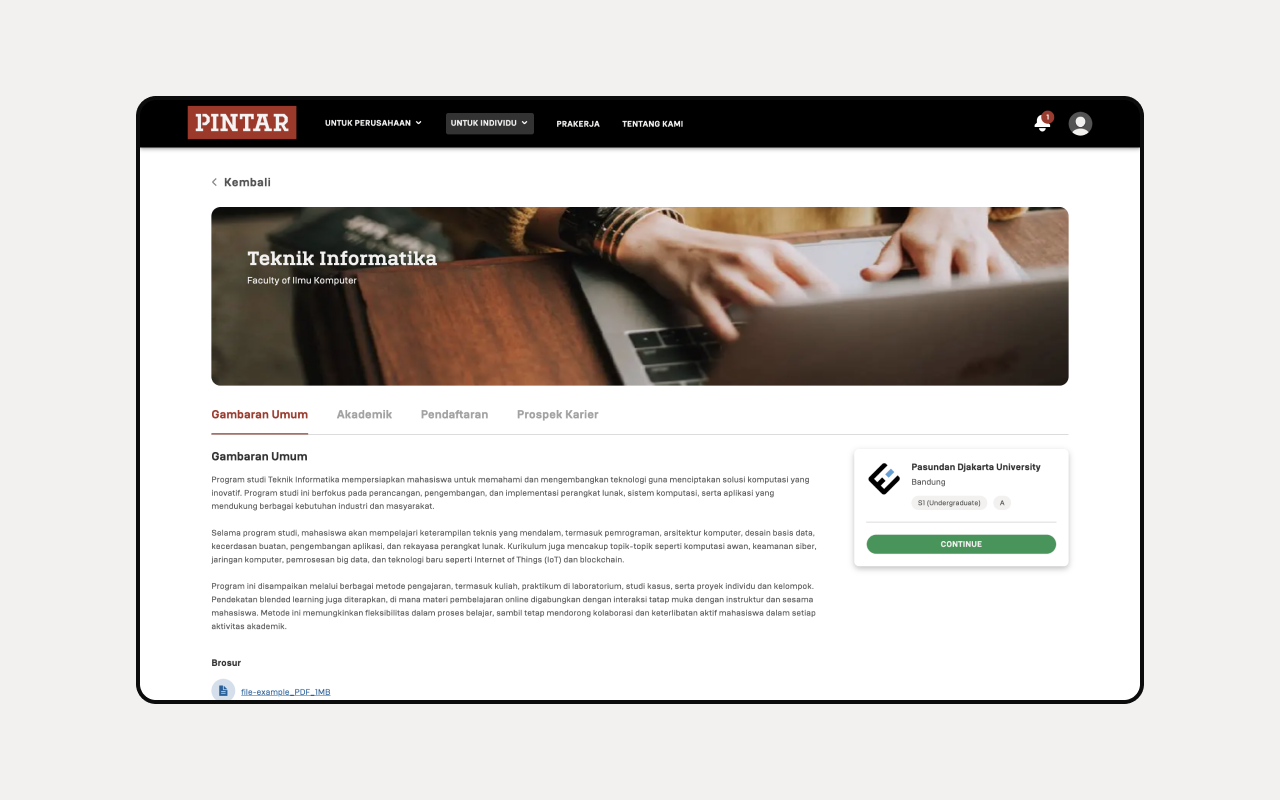
Fill the Student Form
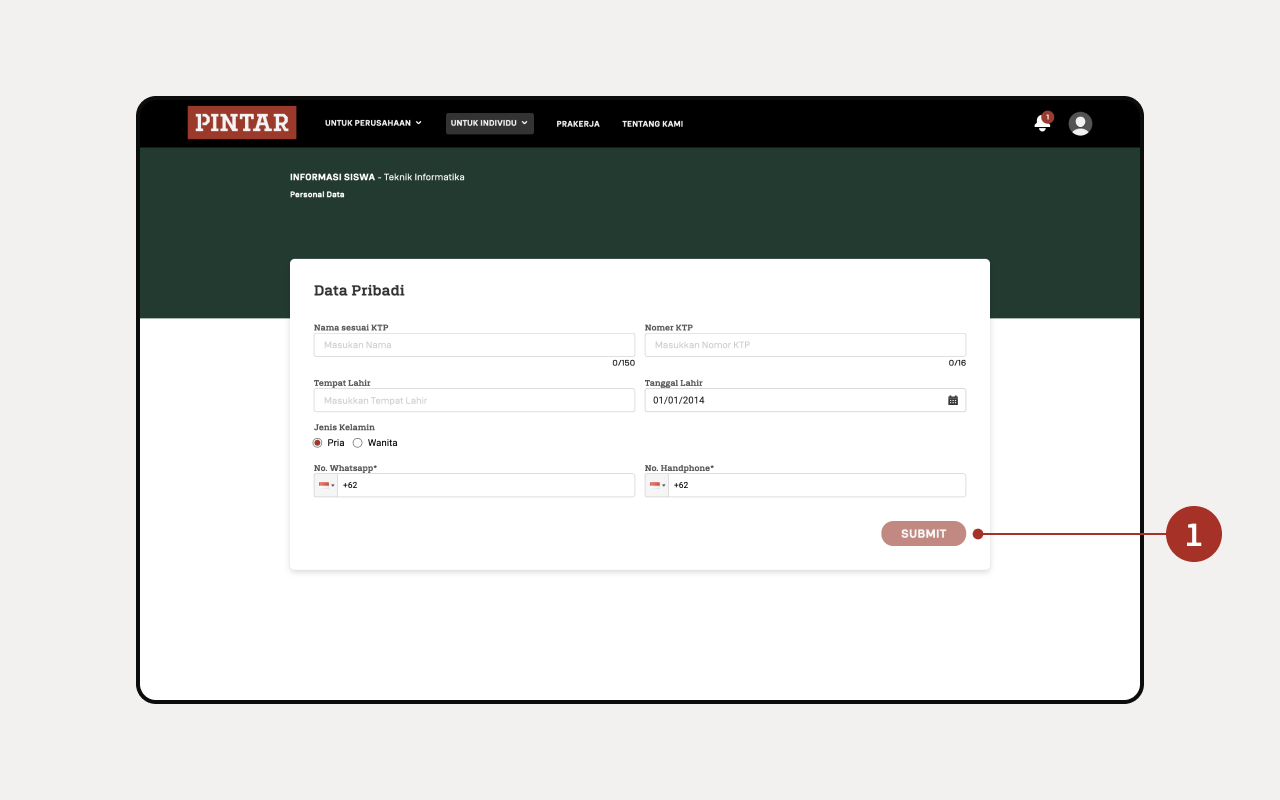
There is a form that requires you to fill in your personal data. Once filled in, click the “Submit” button.
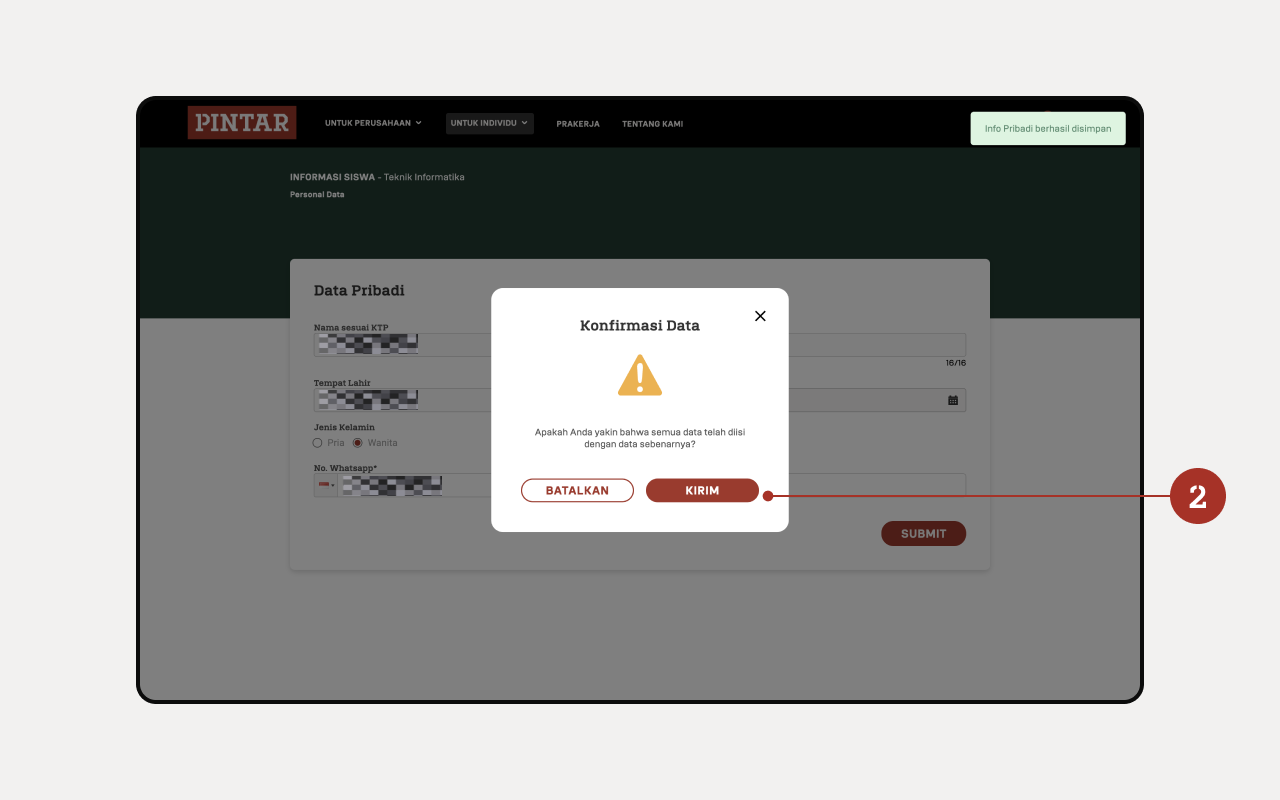
A confirmation pop-up will appear whether the data entered is correct or not. If it's correct, then click the “Submit” button.
After clicking the Submit button, a notification will appear that the form has been successfully filled in and sent.
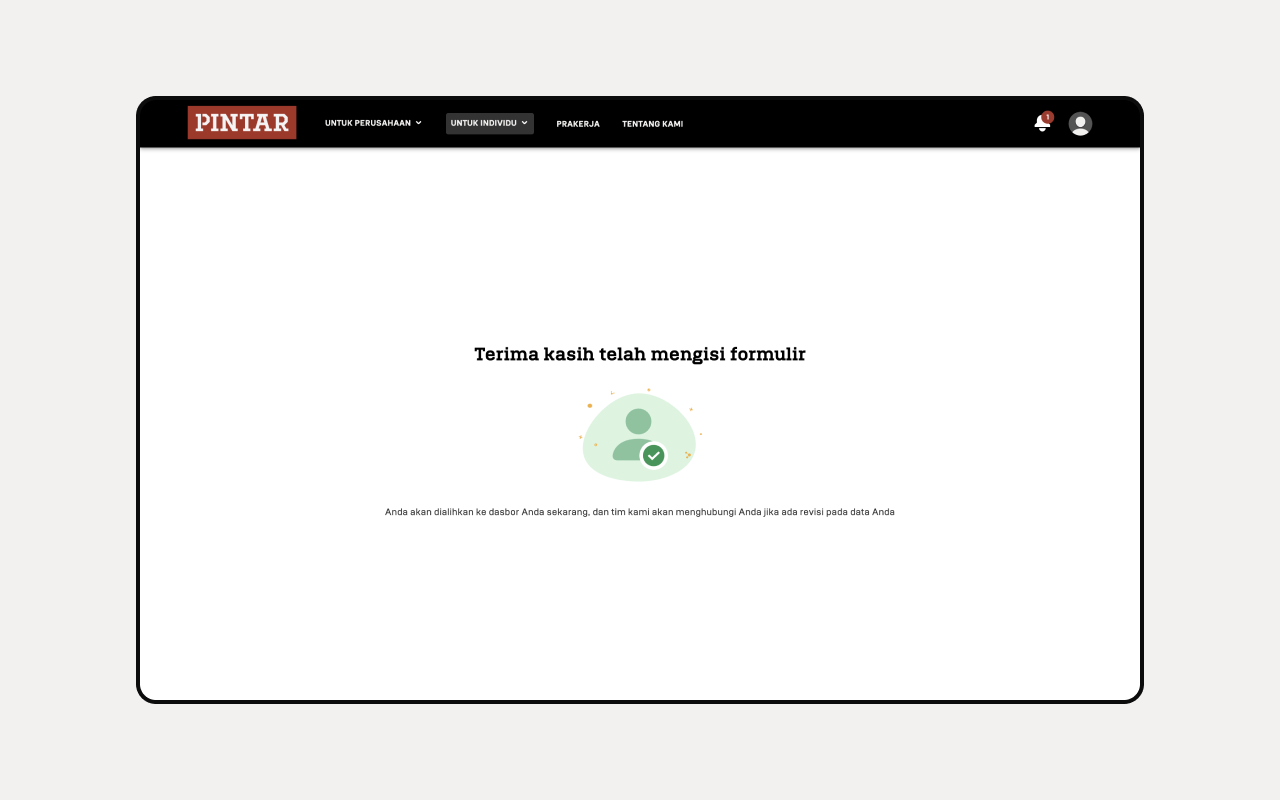
Now you can access the course.